
Backup Fundamentals
Why SMEs Need a Strong Backup Strategy
Key Concepts to keep in mind
Backups
Backups are copies of data stored separately from the original files, allowing recovery after loss, deletion, or system failure.
Network Attached Storage (NAS)
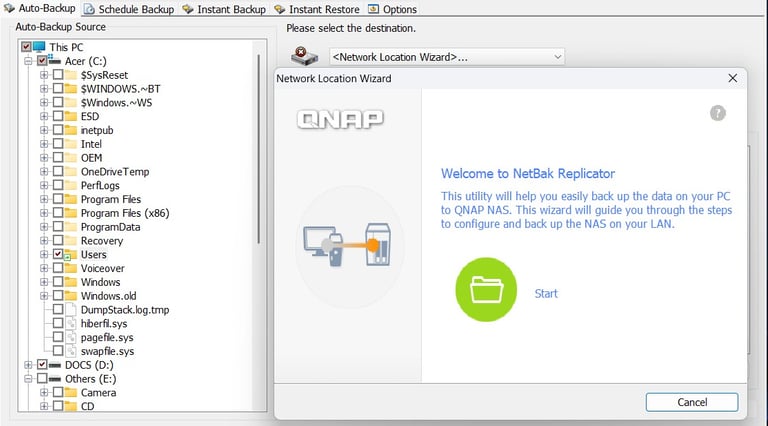
A NAS is a secure storage device installed at the business premises. It provides centralised storage, local backups, and fast recovery without relying on the internet.
Ransomware
Ransomware is malicious software that encrypts files and systems, preventing access and demanding payment to restore them.
Snapshots and File Versions
Snapshots create point-in-time copies of data, making it possible to restore earlier versions of files. This is particularly important in business environments where files change frequently.
The Economic Impact of Data Loss and Ransomware
When a business loses access to its data, the consequences are immediate:
Business operations may stop entirely
Staff may be unable to work
Customers may be affected or lost
Regulatory and contractual obligations may be breached
Ransomware incidents add further pressure. Even when a ransom is paid, recovery is not guaranteed, and additional costs often arise from downtime, system repair, and reputational damage.
Small and medium‑sized businesses are particularly vulnerable, as they often have fewer resources and a more limited capacity to respond to a major data‑loss event. This reduced resilience means that incidents which larger organisations can absorb or mitigate quickly may become existential threats for SMEs, leading to prolonged downtime, severe financial strain, and long‑term operational disruption.
The 3-2-1 Strategy
A widely recognised best practice in data protection is the 3-2-1 backup strategy:
Keep three copies of your data
Store data on two different types of media
Keep one copy off-site
This strategy forms a core part of effective business recovery and continuity planning, ensuring that data can be restored even after serious incidents. By combining local and remote protection, it significantly reduces the risk of data loss, mitigates the impact of hardware failures or cyberattacks, and provides a reliable path to recovery even in worst‑case scenarios.
Why Combining Local and Cloud Backups Works Best
Using local backups together with cloud storage provides balanced protection:
Local NAS backups enable fast recovery
External disks add protection against ransomware
Cloud backups protect critical data off‑site and allow secure access from any location
This layered approach increases resilience while keeping costs manageable.
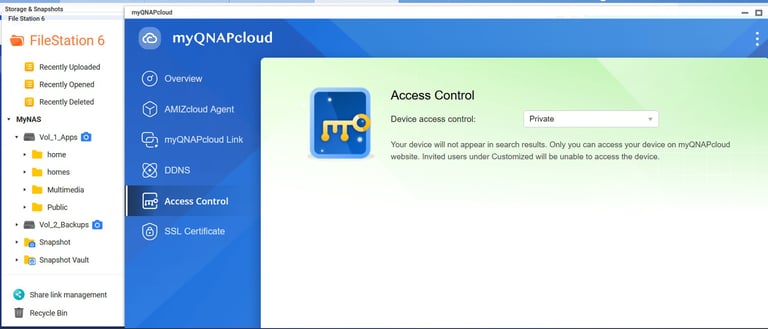
Files stored on the NAS can also be accessed remotely in a secure manner when this feature is properly configured, giving authorised users convenient access without compromising safety or control.
Conclusion
Security, Resilience and Cost Control
A well-designed backup system is not only a technical safeguard but also a business protection measure. It reduces financial risk, limits downtime, and provides confidence that data can be recovered when needed.
For many Irish SMEs, combining local NAS backups with selective cloud storage offers the most secure and cost-effective solution.
Types of Backups
In terms of location, backup systems are generally divided into two main types: local backups and remote backups, which are typically stored in the cloud.
Local NAS-Based Backups
Within local backup options, NAS devices hold a preferred position over alternatives such as external drives or on‑premise servers due to their reliability, automation, and ease of management.
Local NAS systems offer several advantages for small businesses:
Fast recovery without internet dependency
Control over where data is stored
Protection through snapshots and file versioning
Predictable costs over time
Support for GDPR-aligned data handling
While there are a couple of initial considerations, they are temporary and quickly outweighed by the long‑term benefits:
The upfront hardware investment is higher, but it is a one‑time cost that pays off over years of reliable operation
Initial setup and configuration require technical expertise, but once properly implemented, ongoing management is minimal
These benefits make NAS systems particularly suitable for organisations that require reliability and control, offering long‑term stability far beyond the short‑term effort required to get started.
Cloud Backups
Within remote backup options (for example, cloud services, secondary sites, external datacentres, remote servers), cloud services remain the most commonly adopted choice.
Cloud backup services offer some interesting advantages for small businesses, including:
Off‑site protection
Automatic low‑maintenance backups
Scalable storage without hardware costs
However, relying solely on cloud backups can introduce challenges:
Restores are often slow when large amounts of data must be downloaded
Additional fees are often charged when restoring data
Monthly storage fees increase as data volume grows
Data may be stored outside Ireland or the EU
These factors can create technical, economic, and data‑sovereignty concerns, particularly under GDPR.
What Is the Best Backup Strategy?
Both local and cloud‑based backups have their own strengths and limitations. Local solutions offer speed and control, while remote options provide off‑site protection and scalability. There is no need to choose only one of them.
In fact, the most robust and widely recommended approach is a mixed strategy known as the 3‑2‑1 rule, which combines both methods to maximise data resilience and availability.
Data Loss: One of the Top Risks for SMEs
Data loss does not only affect large organisations. In practice, smaller businesses are often more exposed due to limited technical resources and informal backup practices.
Modern businesses depend on digital data to function. Customer information, financial records, operational documents, and emails are essential to daily activity. Despite this dependence, many small and medium-sized enterprises (SMEs) underestimate how fragile their data environment can be.
How Symsyst Can Help
Symsyst specialises in practical backup and data protection solutions for Irish small businesses. We provide clear advice, professional NAS installations, and solutions designed to reduce risk without unnecessary complexity or long-term contracts.
If you would like to discuss how to improve your business resilience, you are welcome to get in touch.




@
© SymSyst 2025. All rights reserved

